📊
Dashboard & KPIs
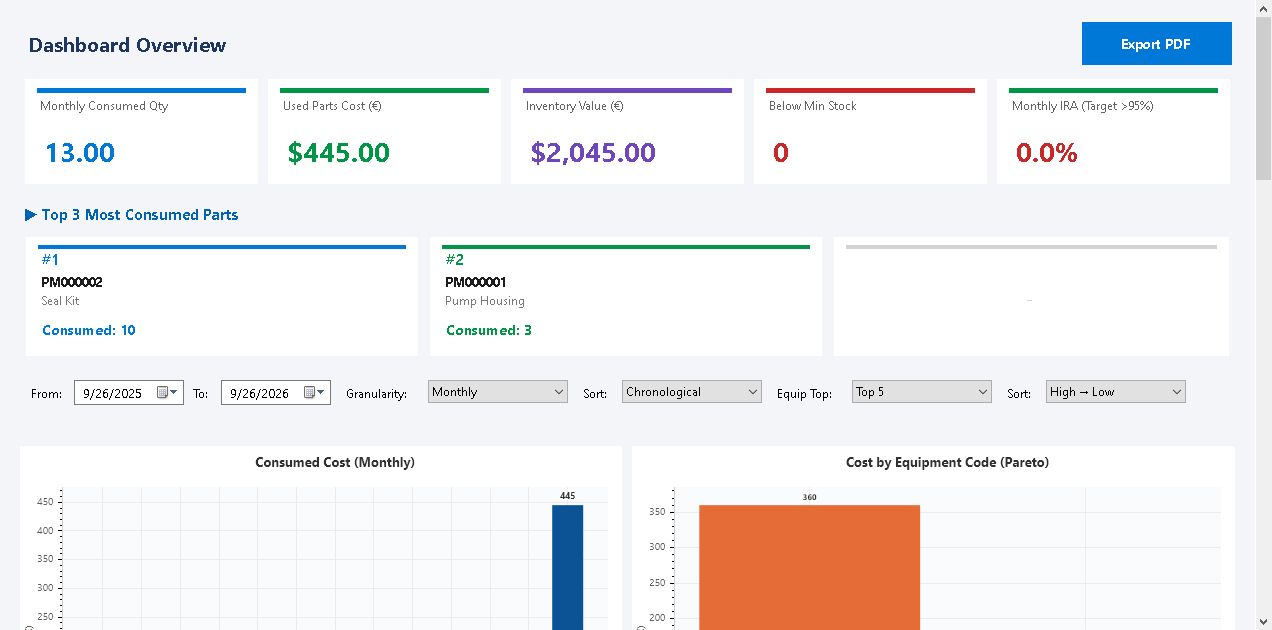
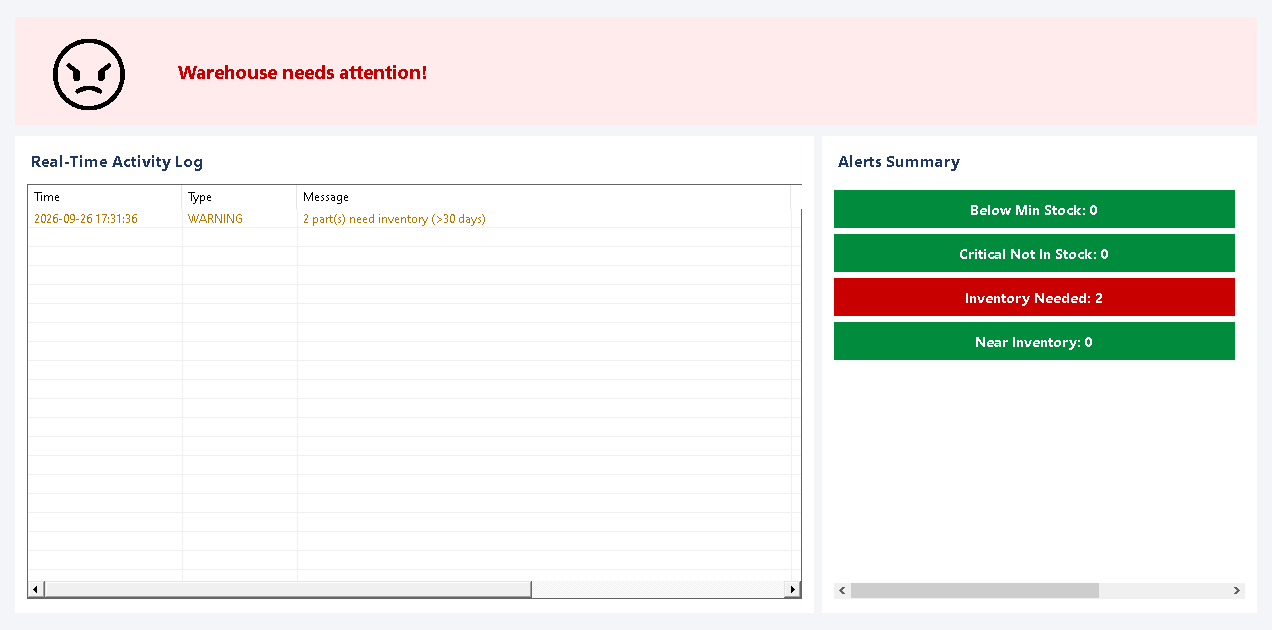
Monthly consumption by quantity and value, total inventory value and live health status at a glance.

SmartWarehouse is a single self-contained Windows application that manages parts, batches, FIFO picking, QR labels and stock counts — with built-in Arduino alert signals, USB camera part search and a USB QR code scanner. No server, no cloud, no setup wizard.
From receiving stock to picking parts and counting inventory — SmartWarehouse covers the full spare-parts lifecycle.
Monthly consumption by quantity and value, total inventory value and live health status at a glance.
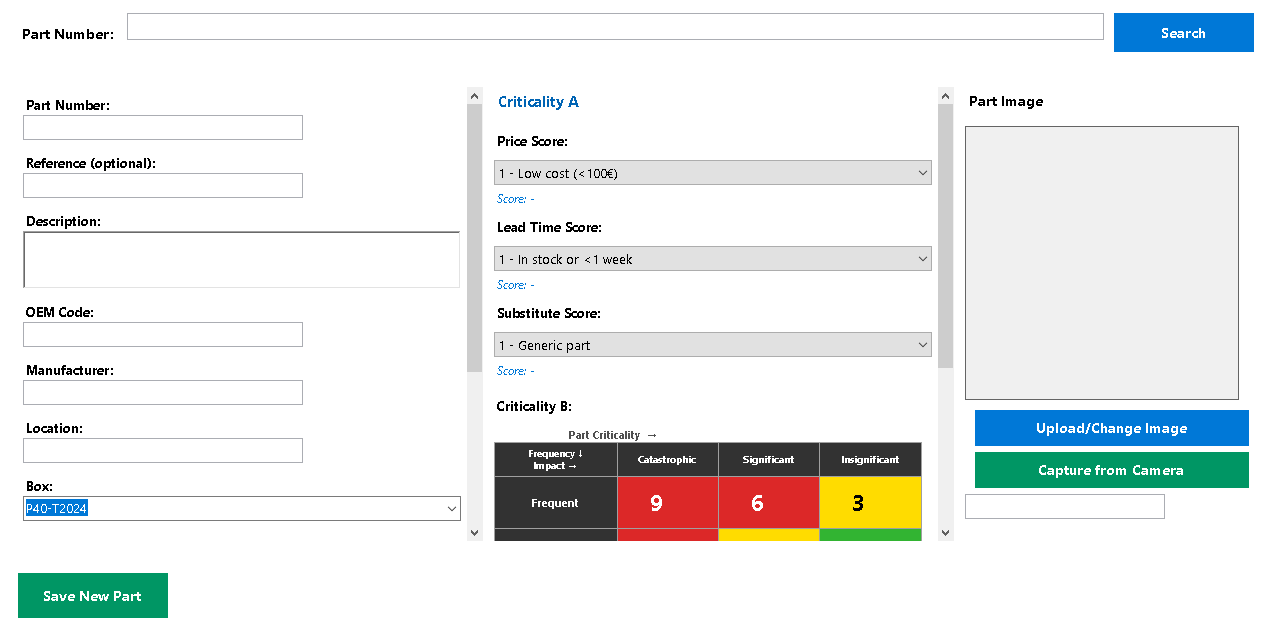
Part number, reference, OEM code, manufacturer, location, landmark, box reference, equipment type and unit of measure.
Price, lead-time and substitute scores (1–5) combine into a calculated criticality index so you know what matters most.
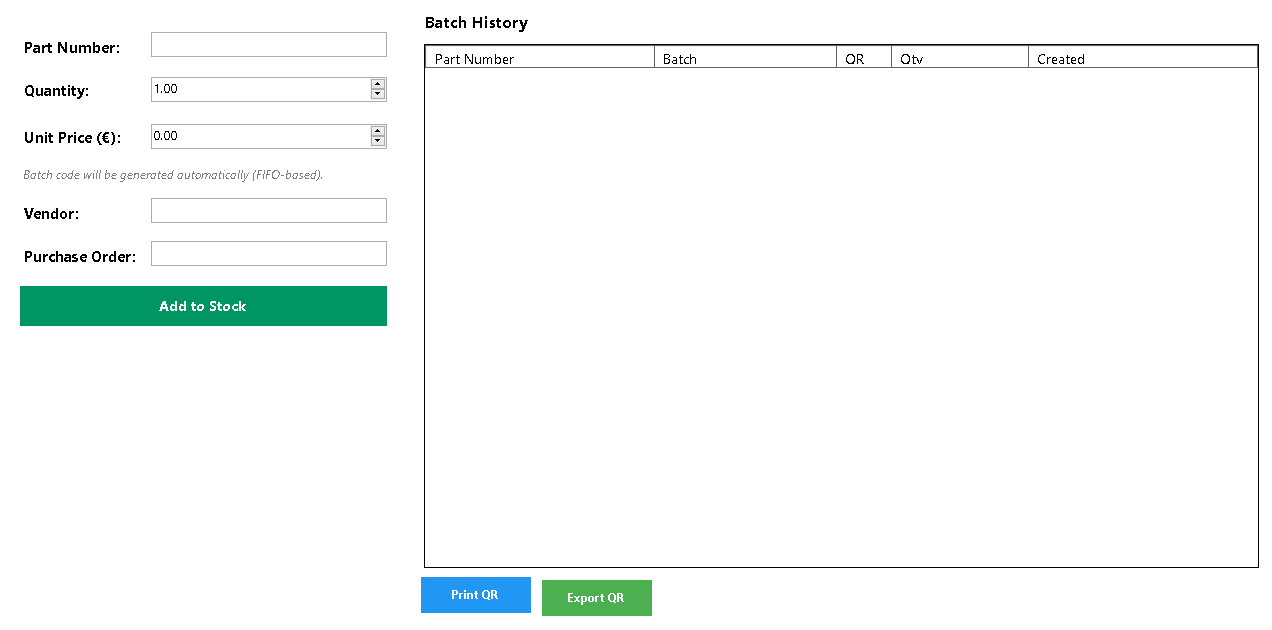
Every receipt creates a batch with its own code, quantity, unit price, received date, lead time, vendor and purchase order.
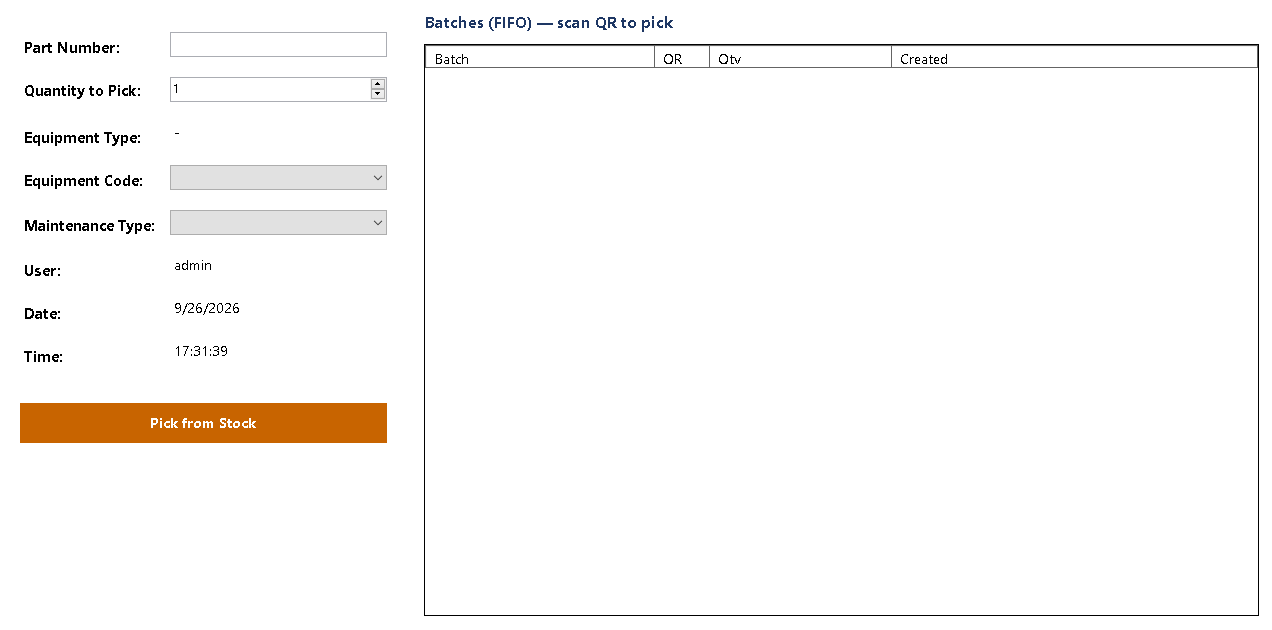
Batch-aware first-in-first-out deduction. Scan the batch QR code to confirm a pick, or select from the list.
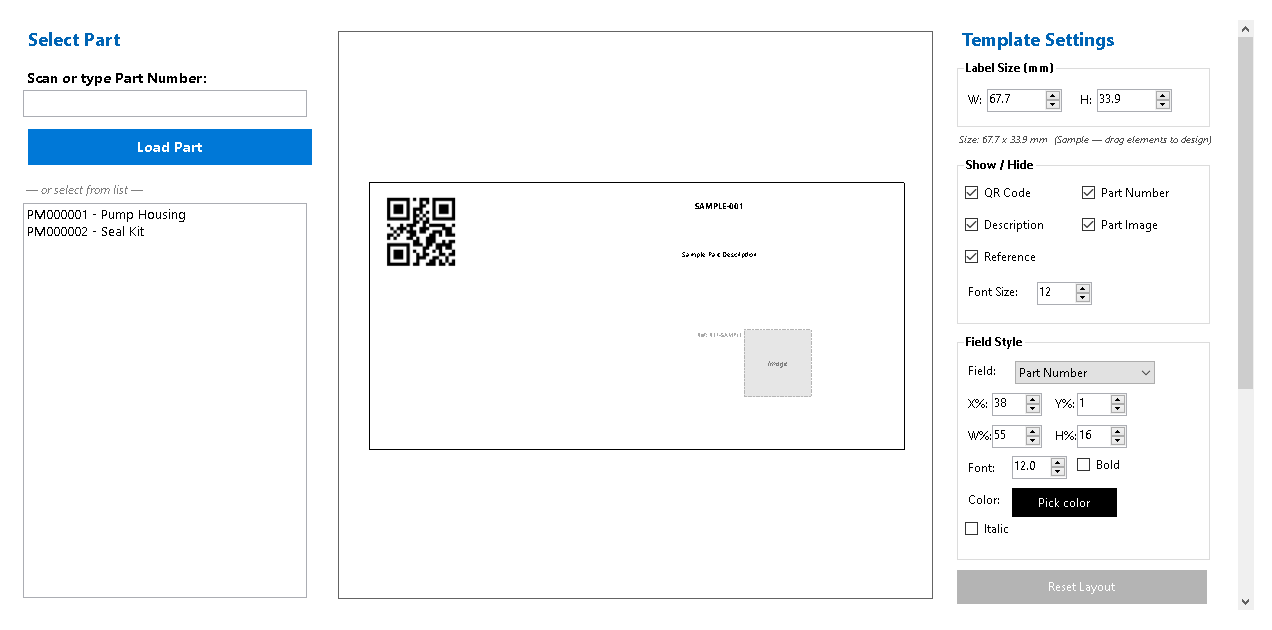
Design bin and part labels with QR codes, part number, description, reference and image. Print or export to Excel.
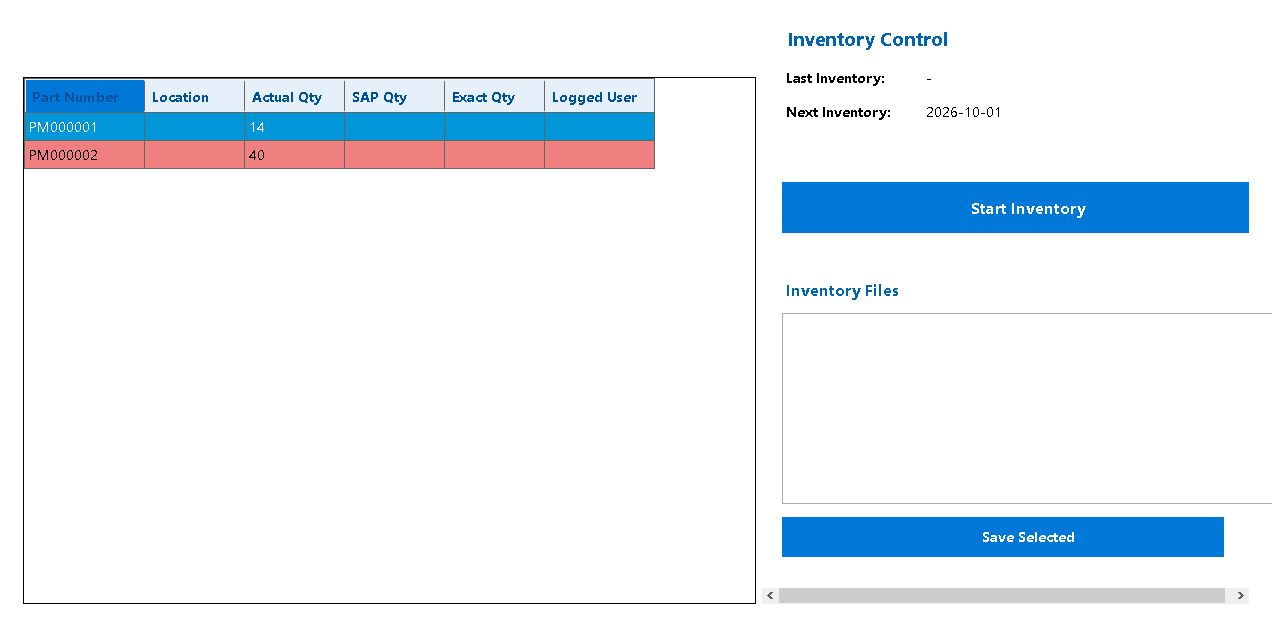
Step-by-step stock counting with configurable SAP quantity reconciliation and exportable inventory files.
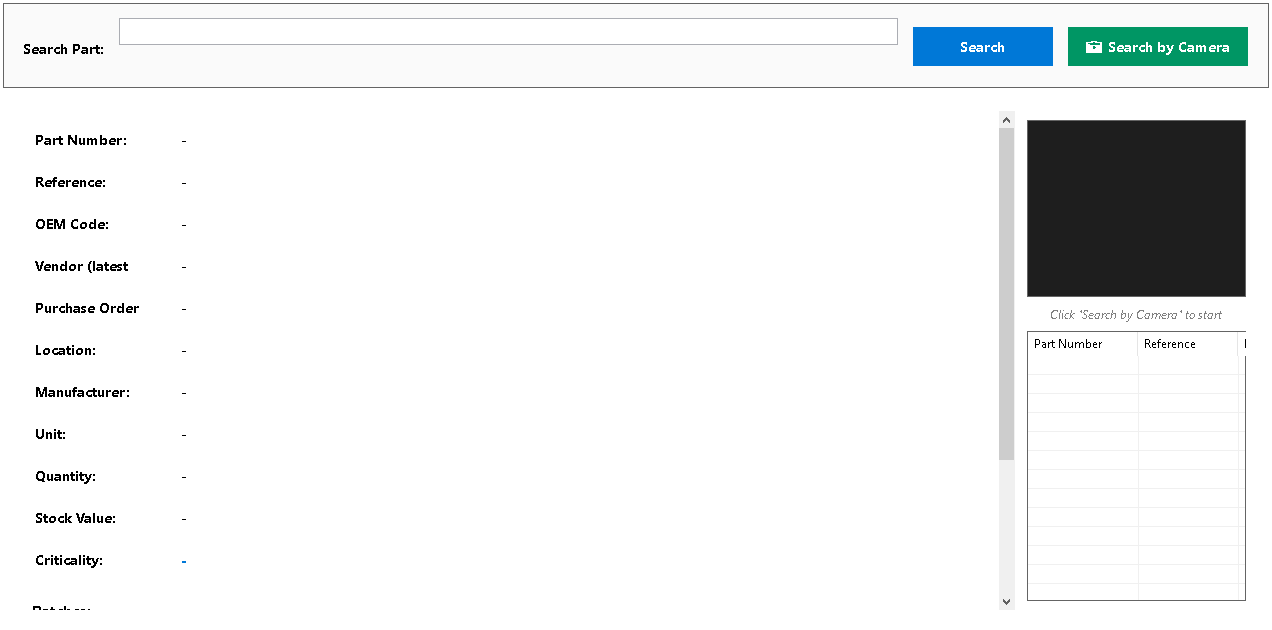
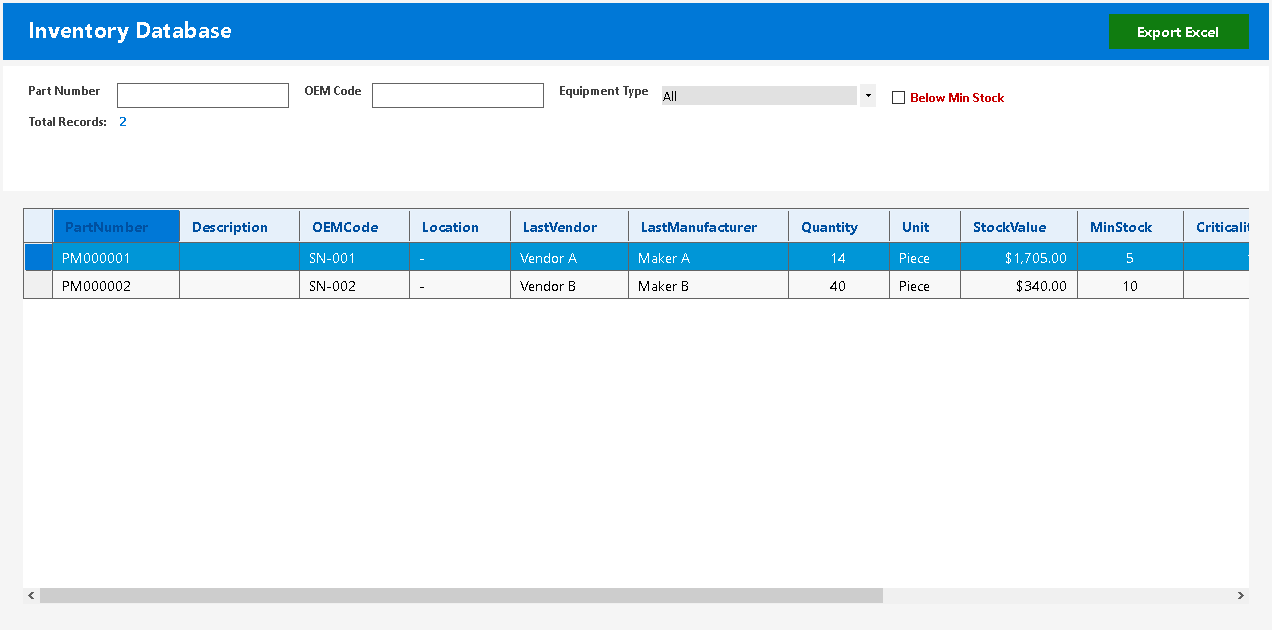
Grid view of every part with stock levels and criticality. Search a single part for full details and batch breakdown.
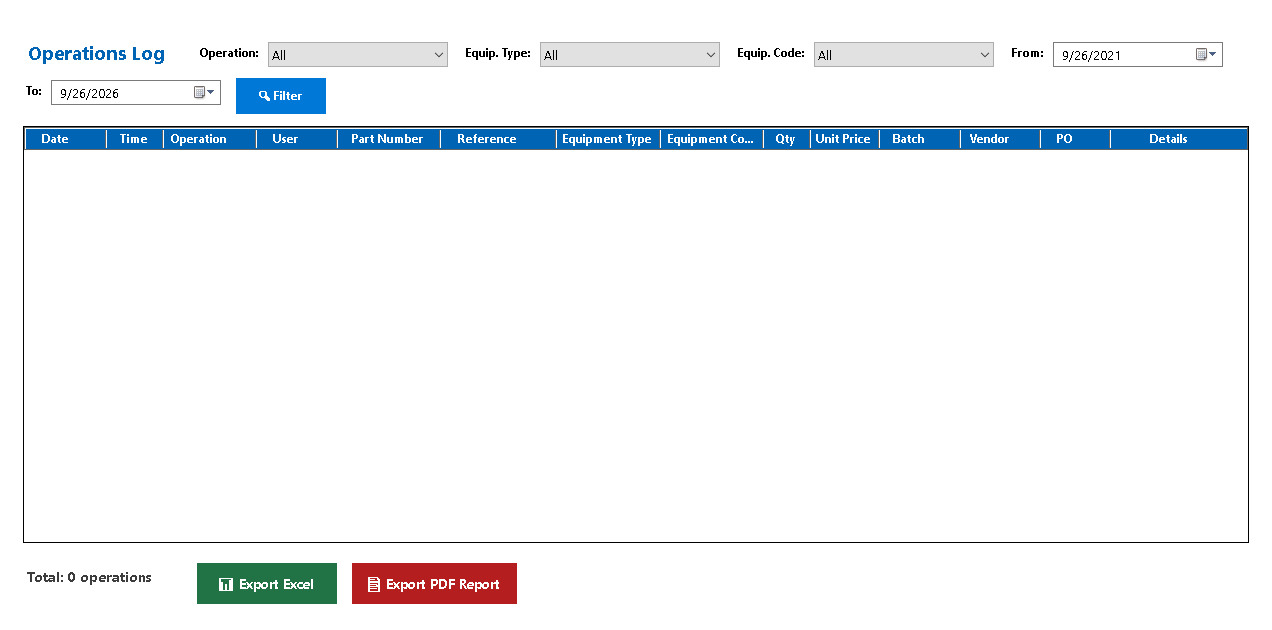
A complete timestamped audit trail of every stock operation for full traceability and accountability.
Admin and User roles with login/logout. Manage users directly from the Admin tab.
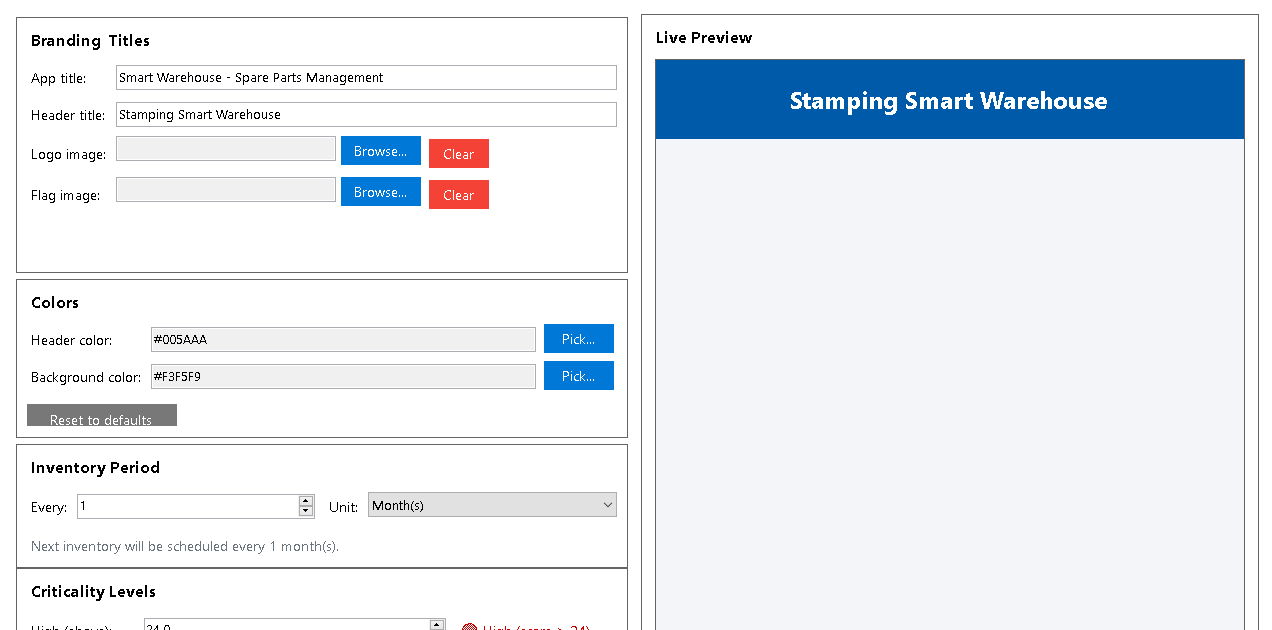
Customise app title, header title, logo, flag, colours and criticality thresholds to match your brand.
Runs full-screen and locked by default for shop-floor terminals. Launch windowed with --no-kiosk.
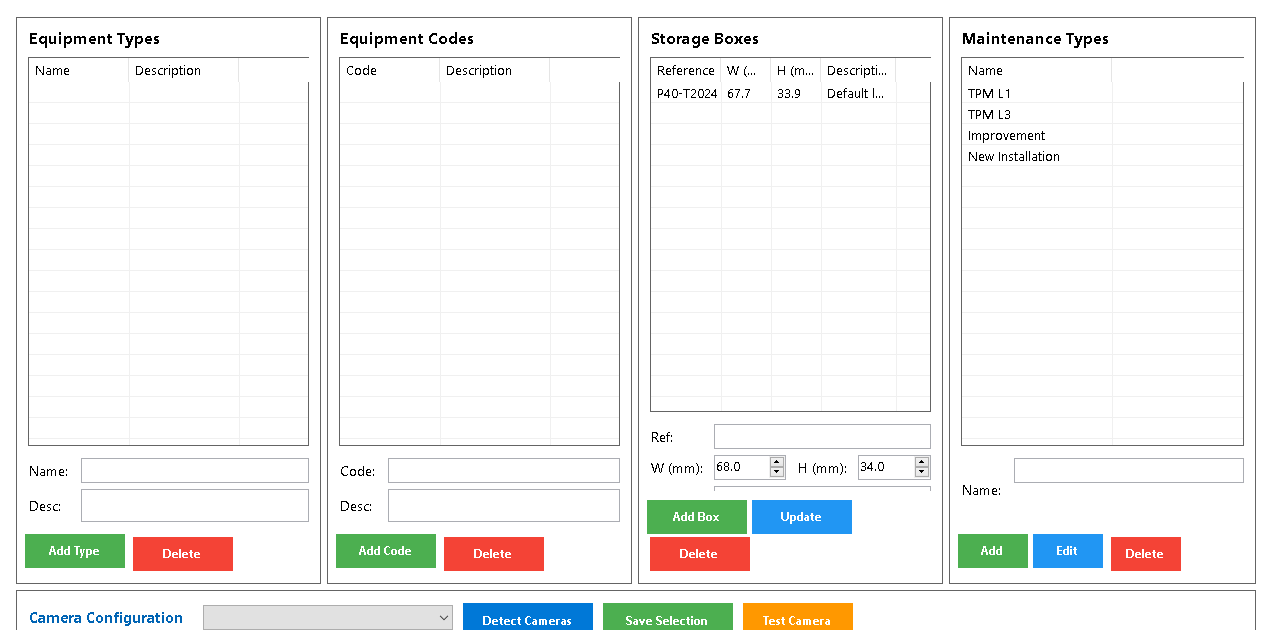
SmartWarehouse talks directly to low-cost, off-the-shelf devices — no proprietary controllers required.
Drive a buzzer or LED from an Arduino over a serial COM port at 9600 baud.
The app sends 1 to raise an alert and 0 to clear it —
perfect for low-stock or critical-part warnings on the shop floor.
.ino sketchCapture part images straight into a record, or use Search by Camera to identify a part visually. ORB feature matching compares the live camera frame against your stored part images and ranks the best matches.
Any USB barcode/QR scanner that acts as a keyboard works instantly. Rapid keystrokes are buffered at form level and routed to the right field — scan a part number to search, or a batch QR to confirm a FIFO pick.
PartNumber|BatchCodeClick any screenshot to view it full size.
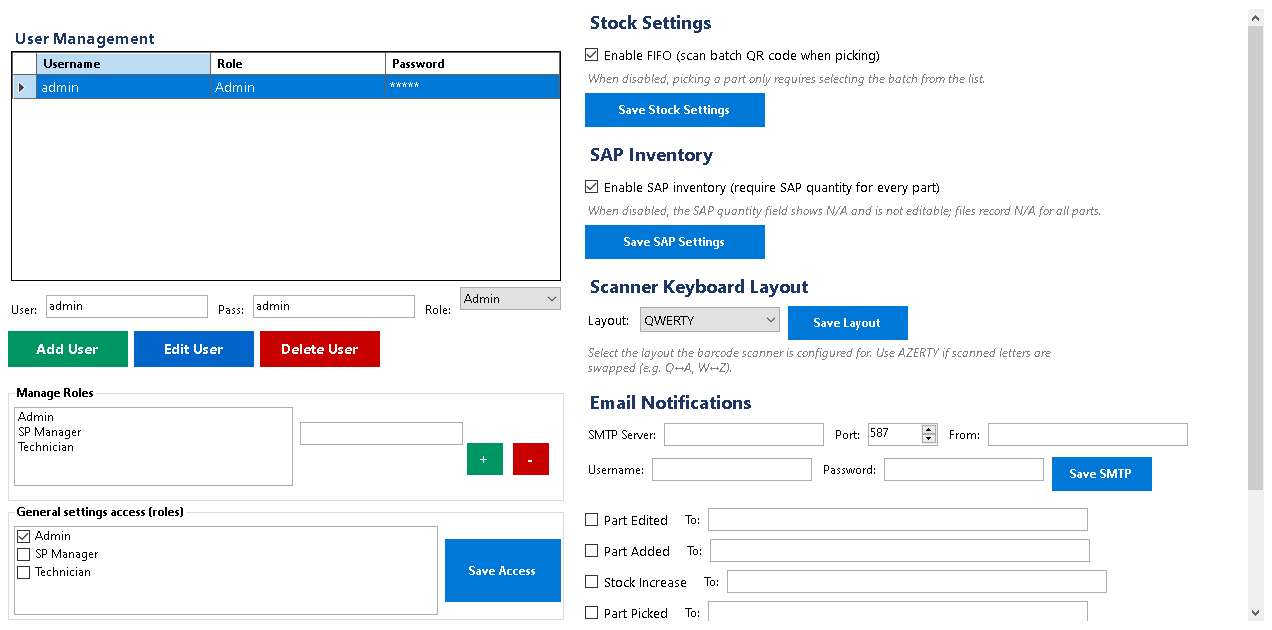
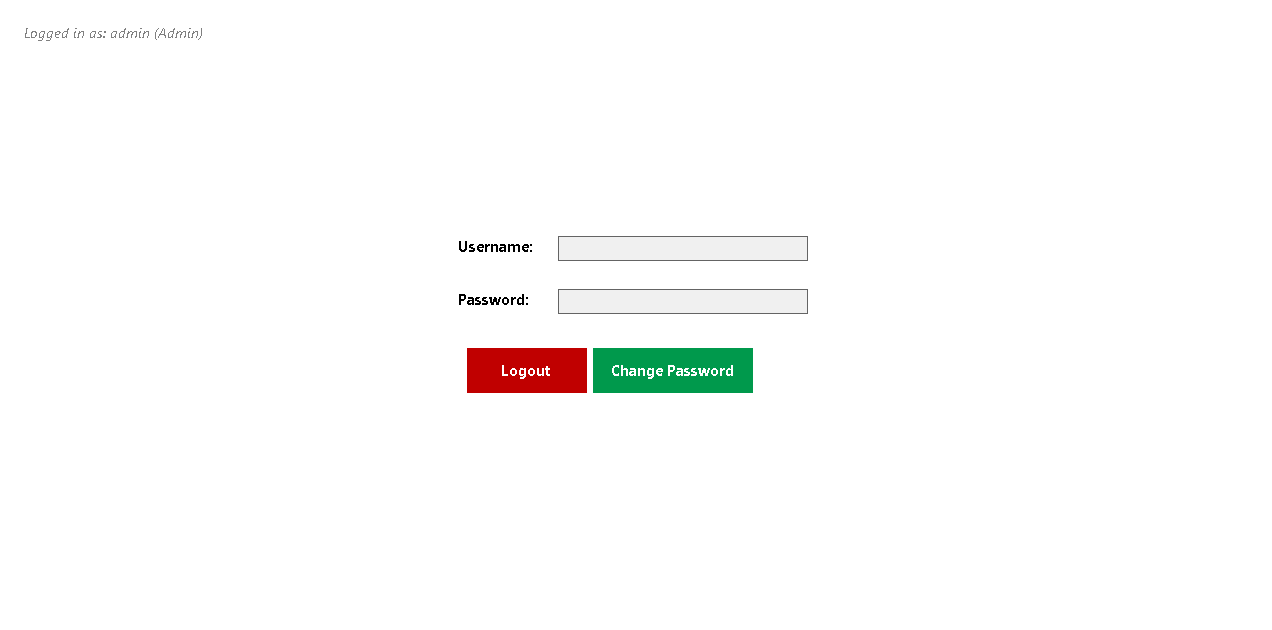
From install to first pick in minutes.
Download the single self-contained .exe and run it. It installs itself to C:\ProgramData\SmartWarehouse and creates a desktop shortcut — no setup wizard.
Create parts with images, criticality scores and locations. Attach a photo with the USB camera or browse an existing file.
Add stock to create batches with quantity, unit price and lead time. A QR code is generated automatically for each batch.
Design and print QR labels for bins and boxes. Scan them with any USB QR scanner to search parts or confirm FIFO picks.
Run a guided inventory count, reconcile against SAP quantities and export the results.
Low-stock and critical conditions trigger the Arduino buzzer/LED signal so your team reacts immediately.
No subscriptions. No per-seat fees. One license, unlimited local use on your machine.
Lifetime license
14-day free trial included. No credit card to start.
🔒 Secure checkout powered by Gumroad
C:\ProgramDataWhen you first launch SmartWarehouse you get a full-featured 14-day trial. The trial state is stored securely on the machine with clock-rollback protection. After 14 days, activate a license key to continue.
No. SmartWarehouse stores everything locally in a SQLite database and works fully offline. An internet connection is only needed once to verify your license key (with a 30-day offline grace period afterwards).
Any USB barcode or QR scanner that presents itself as a keyboard (HID) works out of the box. The app buffers rapid keystrokes globally, so you don't need to click into a field first. QWERTY and AZERTY layouts are both supported.
Any board with a digital pin — Arduino Uno, Nano or Mega all work. Connect a 5V active buzzer or an LED to pin 8 and the app will send 1 to raise an alert and 0 to clear it. Export the ready-made sketch and wiring guide from the Data Settings tab.
Yes. Any USB webcam supported by Windows (DirectShow) can be used for image capture and camera-based part search. Use "Detect Cameras" in Data Settings to pick the right device.
Your data lives in C:\ProgramData\SmartWarehouse. Back up that folder to preserve your database, images, QR codes and layouts.
Updates within the V3.x line are free. Reach out through the Gumroad product page for support and the latest release.
Download SmartWarehouse and start your 14-day free trial today. No credit card required.